Sometimes you are playing a game and suddenly you switch to another tab. Maybe you want to watch something browse or do work. But the problem is the game sound keeps playing in the background.
- How to Mute a Game When Tabbed Out on PC
- Method 1 Using Game Settings
- Method 2 Using Volume Mixer
- Method 3 Using Windows Settings
- Method 4 Using Third Party Tools
- How to Mute Games on Android
- Game Specific Examples
- How to Mute a Game in the Background Easily
- Quick Comparison of Methods
- Tips for Better Experience
- Common Problems and Fixes
- Final Thoughts
- FAQs
This can be annoying especially if the game music is loud or distracting. That is why many players search how to mute a game when tabbed out or how to mute games when minimized.
The good news is that there are simple ways to fix this. You can mute games directly from settings system controls or even inside specific games.
This guide explains everything in a simple and practical way so you can stop background noise easily.
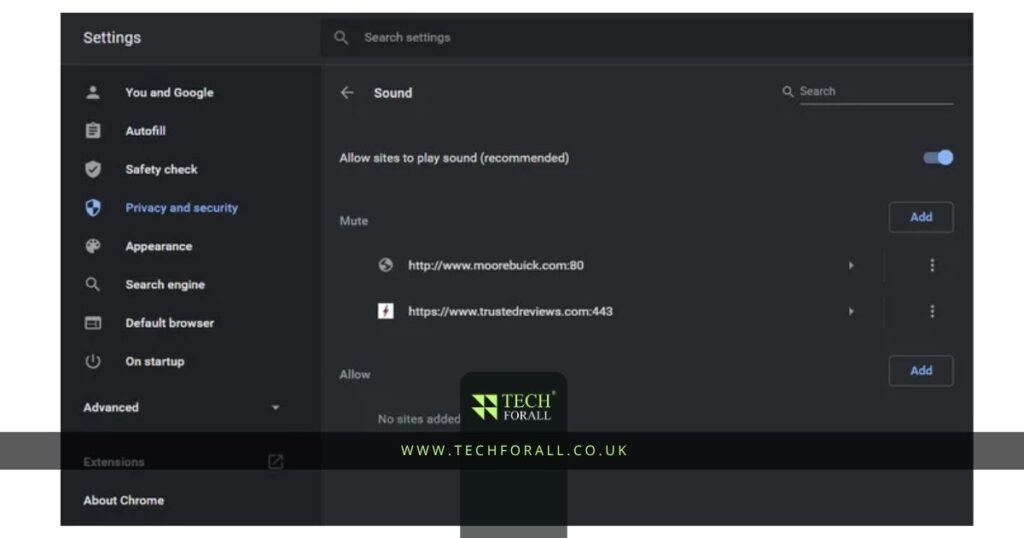
How to Mute a Game When Tabbed Out on PC
On PC there are multiple ways to control game sound. You can use system settings or game settings depending on what works best for you.
Method 1 Using Game Settings
Many modern games already have this option
- Open the game settings
- Go to Audio or Sound section
- Look for option like mute on focus lost mute when minimized
- Turn it ON
This is the easiest method and works for many games like Minecraft or Wuthering Waves
Method 2 Using Volume Mixer
If the game does not have built in option
- Right click on sound icon in taskbar
- Open Volume Mixer
- Find your game
- Lower or mute its volume
Now when you tab out you can manually control sound
Method 3 Using Windows Settings
- Go to Settings
- Open System then Sound
- Click App volume and device preferences
- Find your game
- Set volume to zero
This helps you mute a specific game on PC easily
Method 4 Using Third Party Tools
Some apps allow automatic muting
- Use sound control apps
- Set rules for background apps
- Auto mute when minimized
This is useful for advanced users
How to Mute Games on Android
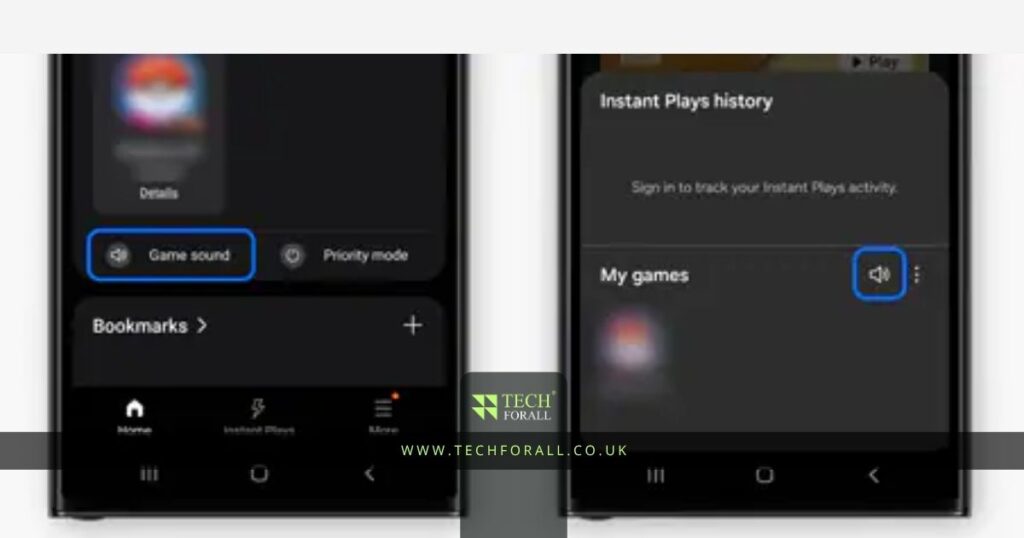
If you are playing mobile games and want to mute them in background
Method 1 Using In Game Settings
- Open game settings
- Go to audio section
- Turn off music and sound
Method 2 Using Phone Controls
- Lower media volume
- Use silent mode
- Use game mode settings if available
Method 3 Background Control
Some Android phones allow you to stop app sound when minimized through game booster or settings
You might be interested in: Great Console Games Best Picks You Can Play Today
Game Specific Examples
Minecraft Mute When Tabbed Out
In Minecraft
- Go to Options
- Open Music and Sounds
- Lower volume or mute
Some versions support mute on focus lost settings
Roblox Mute When Tabbed Out
- Open Roblox settings
- Go to Audio
- Turn volume to zero
Or use system volume mixer
Wuthering Waves Mute When Minimized
- Open settings
- Go to audio section
- Enable background mute option if available
How to Mute a Game in the Background Easily
If you want a quick solution
- Use Volume Mixer for fast control
- Enable mute on focus lost in game
- Lower system volume for specific apps
This solves most problems quickly
Quick Comparison of Methods
| Method | Best For | Ease |
|---|---|---|
| Game settings | Automatic mute | Very Easy |
| Volume mixer | Manual control | Easy |
| System settings | Full control | Medium |
| Apps | Advanced users | Advanced |
Tips for Better Experience
- Always check game audio settings first
- Use shortcut keys for faster control
- Keep volume low when multitasking
- Use headphones to manage sound better
- Close unused apps to avoid noise
Common Problems and Fixes
Game still playing sound
- Check if mute option is enabled
- Restart game
Volume mixer not working
- Restart system
- Update drivers
Game has no mute option
- Use system level control
Final Thoughts
Now you know how to mute a game when tabbed out in a simple way. You do not need any complicated setup to control game sound. Most games and systems already provide easy options to manage audio.
Whether you are using PC or Android you can choose the method that works best for you. Once you set it up you will not have to deal with annoying background sound again.
If someone asks how to mute a game in the background you can now guide them clearly. Just adjust settings or use system controls and enjoy a quiet experience.
That is all you need to fix this problem.
FAQs
How to mute games when minimized?
Use game settings or volume mixer to reduce sound when minimized
How to make a game mute when unfocused?
Enable mute on focus lost option inside game settings
How to mute Roblox when tabbed out?
Lower volume in Roblox settings or use system volume control
How to mute a specific game on PC?
Use Windows volume mixer and set game volume to zero