There can be many reasons. Some people want to reduce online accounts. Some want to protect their privacy. Others simply do not use the service anymore. In these cases people start searching how to delete amazon account.
- Things to Know Before Deleting Your Amazon Account
- How to Delete Amazon Account
- Different Ways People Delete Amazon Accounts
- How to delete Amazon account on website
- How to delete Amazon account permanently in mobile
- How to delete Amazon account from other devices
- How to delete Amazon account order history
- Tips Before Closing Your Amazon Account
- Conclusion
- FAQs
- How to delete Amazon account on iPhone?
- How to delete Amazon account permanently in mobile?
- How to delete Amazon account that is locked?
- How to delete Amazon account without login?
- How to delete Amazon account on website?
- How to delete Amazon account from other devices?
- How to delete Amazon account order history?
- How to delete Amazon account without phone number?
Closing an Amazon account is not as simple as creating one. Amazon asks you to review a few things before the account can be removed. Once the account is deleted it cannot be restored and all related services will stop working.
This guide explains the process clearly so you understand how to close amazon account safely.
Things to Know Before Deleting Your Amazon Account
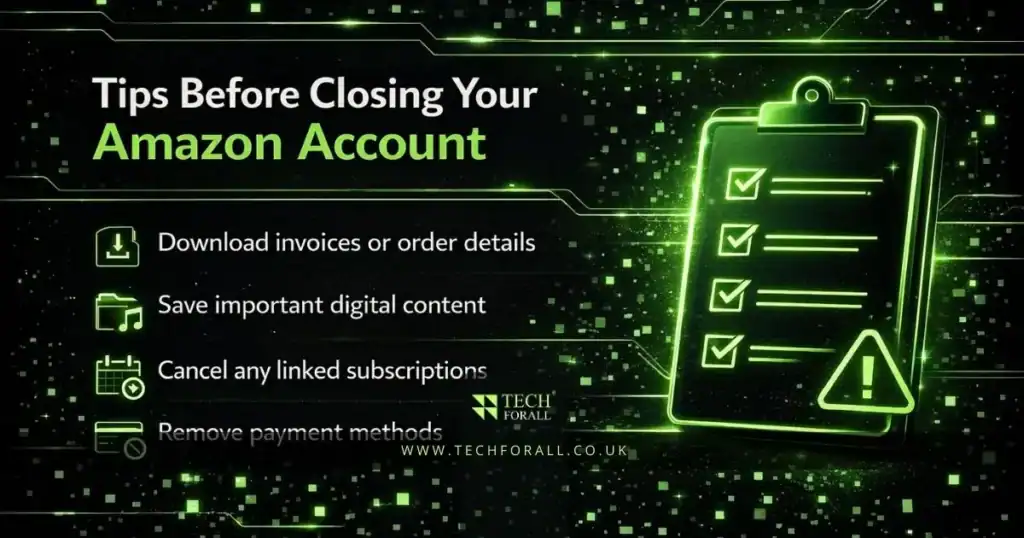
Before you delete your account it is important to check a few things. Deleting an account removes access to several Amazon services.
Some important things to remember are listed below.
- All order history will be removed from the account
- Amazon Prime subscriptions will stop automatically
- Kindle and other Amazon devices will be deregistered
- Digital purchases like books music and videos will be lost
- Amazon gift card balance will no longer be available
Because of this it is a good idea to review your account carefully before starting the deletion process.
Quick overview of what happens when you close the account
| Item | What happens after deletion |
|---|---|
| Order history | No longer accessible |
| Amazon Prime | Subscription cancelled |
| Digital purchases | Access removed |
| Gift card balance | Remaining balance lost |
| Amazon devices | Devices deregistered |
How to Delete Amazon Account
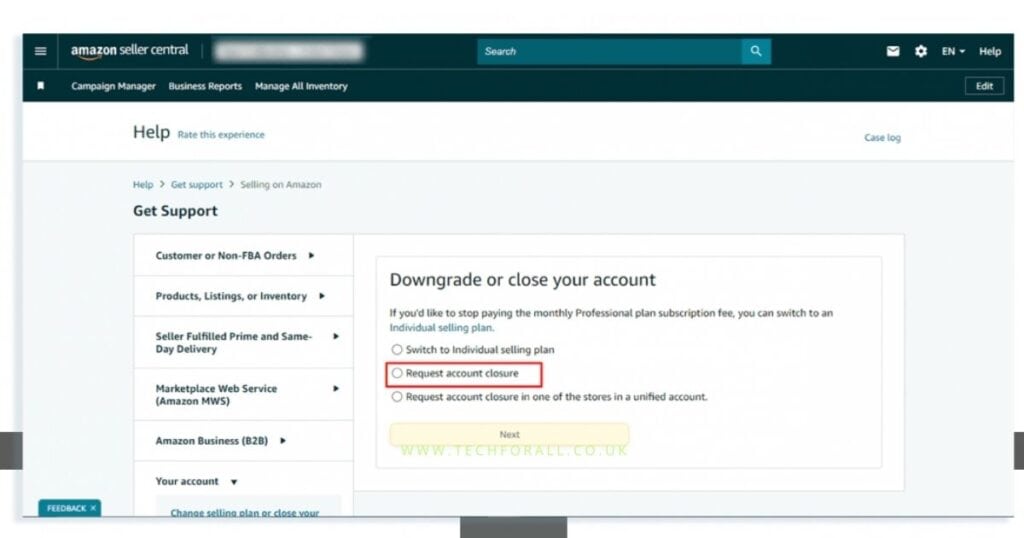
Amazon allows users to close their account through the website. This process works on computers phones and tablets using any web browser.
Steps to close Amazon account
Follow these steps carefully.
- Open a web browser and go to the Amazon account deletion page
- Sign in to your Amazon account if asked
- Review the information about services that will be removed
- Select a reason for closing the account
- Check the confirmation box
- Click Close My Account
Amazon will then send a confirmation email. You must open the email and confirm the request to complete the deletion process.
After confirmation the account will be permanently removed.
You might be interested in: Secure Guide How to Encrypt Email in Outlook
Different Ways People Delete Amazon Accounts
Some users search for different situations related to account deletion. The steps are usually similar but the method may vary depending on the device or problem.
How to delete Amazon account on website
The official way to remove an account is through the Amazon website. You need to sign in and request account closure from the data deletion page.
How to delete Amazon account permanently in mobile
Even though the Amazon app does not allow account deletion you can still do it from a phone browser. Simply open the Amazon deletion page in your browser and follow the same steps.
How to delete Amazon account from other devices
If your account is logged in on multiple devices deleting the account will automatically sign out those devices.
How to delete Amazon account order history
Amazon does not allow users to delete only order history. The order history is removed only when the full account is closed.
Tips Before Closing Your Amazon Account
Conclusion
Learning how to delete amazon account is useful for people who no longer want to use the service. The process takes a few steps and requires confirmation through email.
Before closing the account it is important to review your subscriptions orders and digital purchases. Once the account is deleted all associated services will stop and the data cannot be recovered.
By following the correct steps you can close amazon account safely and understand what happens after deletion.
FAQs
How to delete Amazon account on iPhone?
You cannot delete the account from the Amazon app. Open the Amazon website in Safari or another browser and request account closure.
How to delete Amazon account permanently in mobile?
Use your mobile browser to open the Amazon account deletion page then follow the steps to close the account.
How to delete Amazon account that is locked?
If your account is locked you must contact Amazon customer support to unlock it before requesting deletion.
How to delete Amazon account without login?
In most cases you must sign in to delete the account. If you cannot log in contact Amazon support for help.
How to delete Amazon account on website?
Sign in to Amazon then go to the account deletion page select a reason and confirm the request.
How to delete Amazon account from other devices?
Deleting the account removes it from all devices automatically.
How to delete Amazon account order history?
Amazon does not allow deleting order history separately. Closing the account removes the history.
How to delete Amazon account without phone number?
You can still close the account by logging in with your email and confirming the request through email.